Initial Tool and Performance Analysis
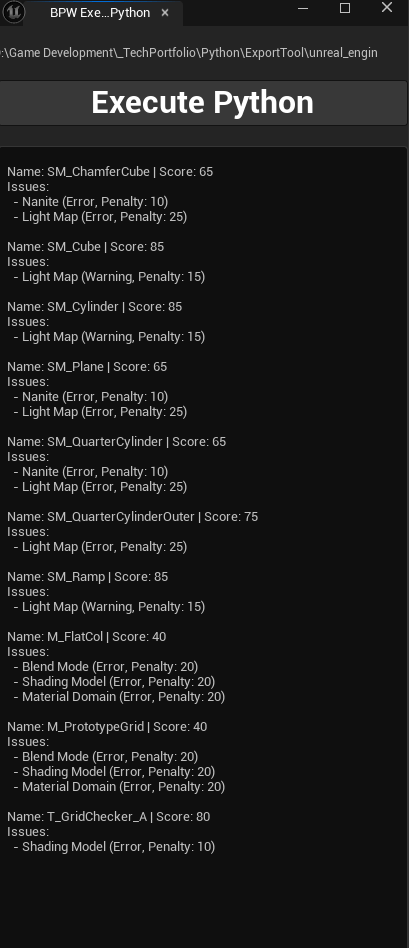
I had been wanting to dig into Unreal Engine 5’s Python API, so I decided to create a tool that inspected the properties of Unreal assets for performance. I didn’t just want to create a lightweight version of Unreal Insights, but something that could analyze the assets in the engine’s Content Browser.
I created a tool that scanned the project’s folders. It collected textures, materials, and static meshes, along with their properties, into data that I could work with. I used a JSON config file to hold the performance metrics that I checked the assets’ properties against. This allowed me to change the values depending on the project’s needs.
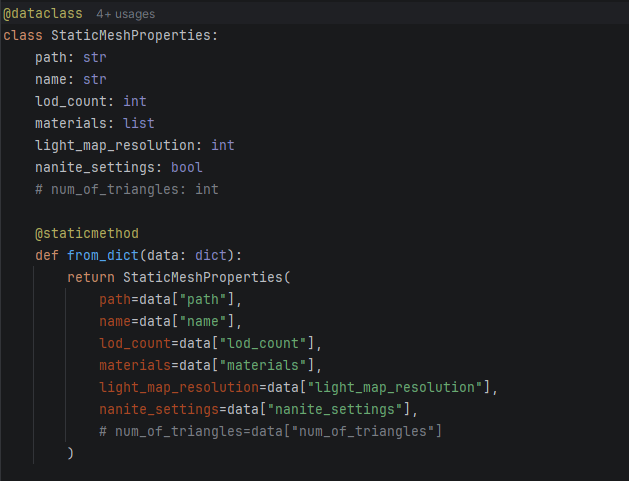
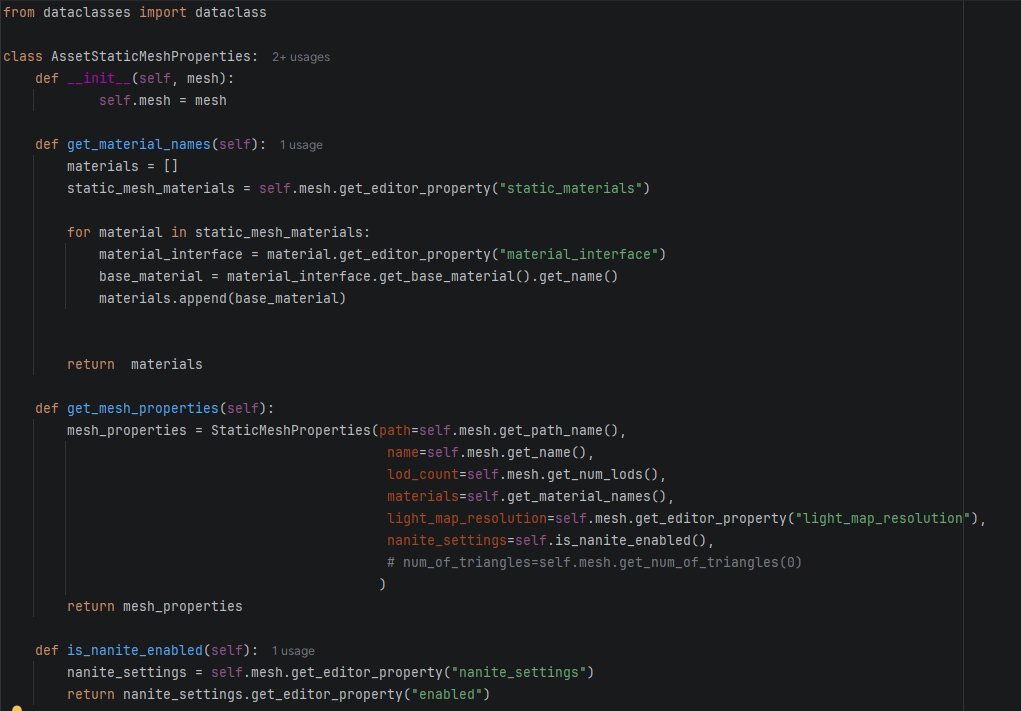
Once I checked the assets’ performance, I organized the findings into a report so that it was easy to follow up on any problem assets. For now, I analyzed static meshes, but once I had the framework in place, I could extend it to analyze textures and materials. I also planned to create a feature that allowed the user to choose the folder to inspect because I had hardcoded the path for testing purposes.
Refactoring the Asset Analyzers
My original plan was to create an analyzer for each asset type. But I soon realized there was a pattern each analyzer had to follow to parse the config values and apply them. So I refactored my code to use a Template Pattern.
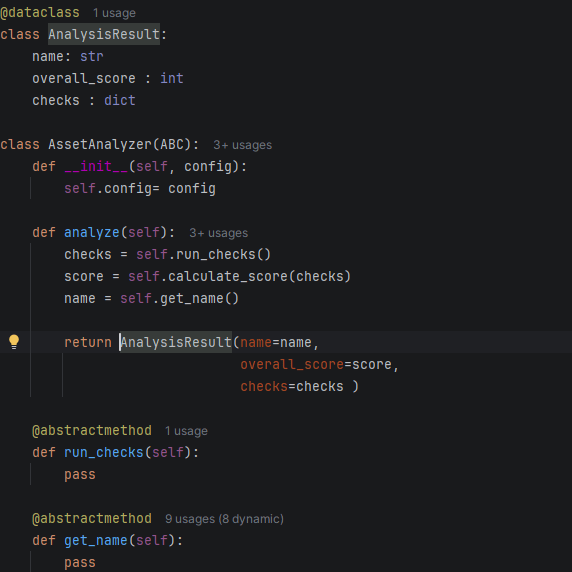
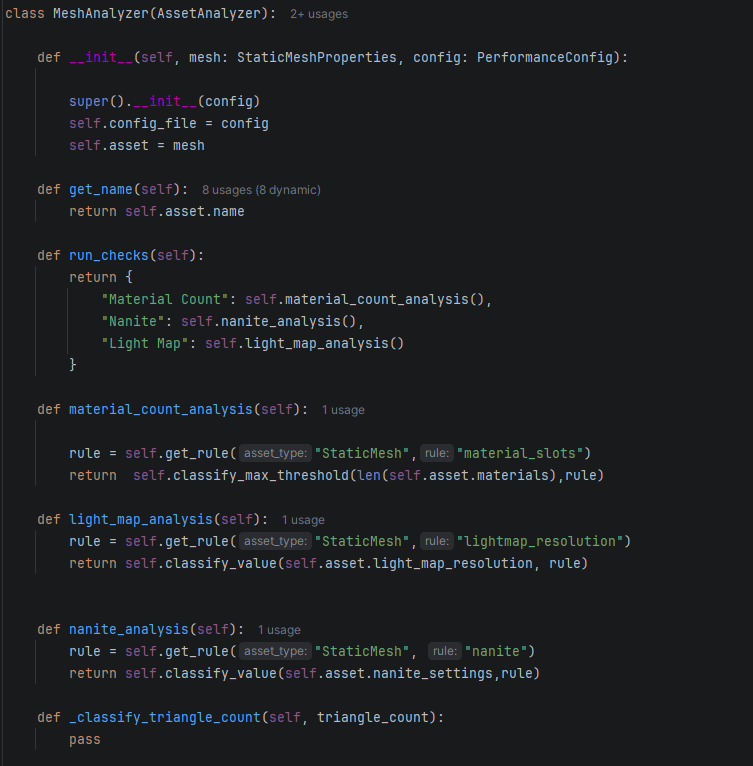
I created a generic analyzer where the child classes used shared methods to parse the config and analyze the results. This allowed me to scale the system because it became easier to add different analyzers, such as a Skeletal Mesh Analyzer or Blueprint Analyzer.
Generalizing the Config Reader
I was using a JSON config to get values to validate asset performance, but the pattern varied from asset to asset. That meant I would have to parse the config using different methods for different assets.
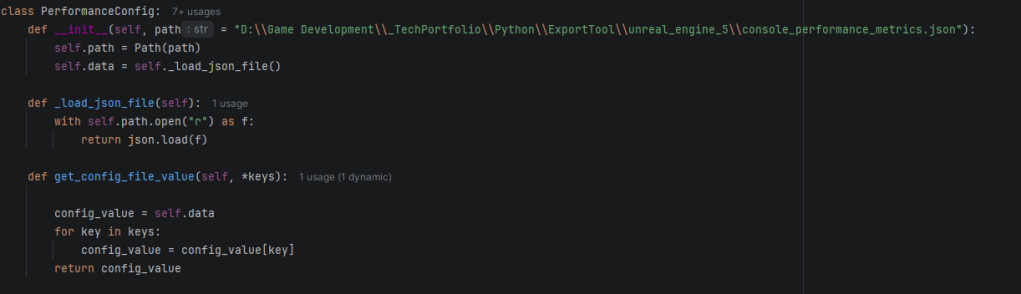
So I wanted to create a generalized method. This way, I could reuse the same method to get values from the config instead of writing specialized code for each entry. It also made adding new entries to the JSON easier.
I moved the generic config reader into the Asset Analyzer Base class because every analyzer needed to use it. This allowed the child analyzer classes to stay much more compact, leading to better readability and maintainability.
Asset Analysis Pipeline
The overall flow looked like this:
Unreal Assets > Asset Collector > Object Properties > Asset Analyzer (analyze, run checks, calculate score, create result) > Analysis Result > Asset Reporting > Console Output
The parent analyzer said how the analysis worked, while the child said which checks it wanted to run. The parent handled the score, result creation, and the process for running the checks.
In this architecture, I didn’t need to touch Analysis Result or Asset Reporting. I only needed to create a new child analyzer, such as a Material Analyzer.
Eventually, I could expand the Asset Analyzer to support more asset types:
Asset Analyzer > Mesh > Material > Texture > Skeletal Mesh > Animation
Scaling the Asset Collection Pipeline
I was thinking about collecting textures, objects, and materials, but eventually I wanted to scale the pipeline to include other asset types such as skeletal meshes, Niagara Systems, and more.
At that point, I was collecting the assets and processing each of them. I realized this could become slow when there were thousands of assets in a project. I wanted to apply what I learned from refactoring my Analyzer classes and create generic functions that could work with different asset types.
Trying the Strategy Pattern
I started to set up a Strategy Pattern to check what type of Unreal asset each item was and then handle the actual processing somewhere else.
But I soon realized the strategies were only checking the asset type and weren’t adding much functionality. Compared with the Template Pattern in the Analyzer classes, which handled much more of the actual analysis, the Strategy Pattern felt overengineered just to check asset types.
Refactoring the Asset Collector
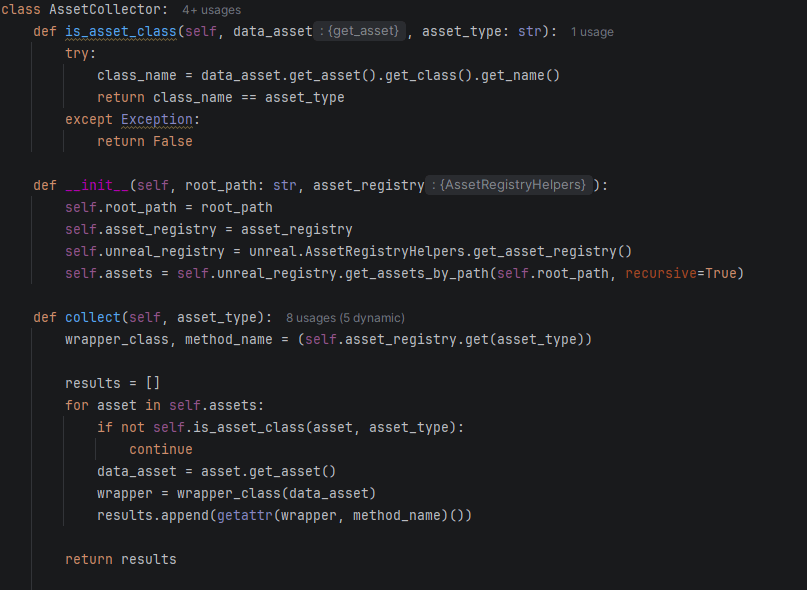
I realized my collector was doing two things: finding assets and converting Unreal assets into Python property objects.
The Collect method worked like this:
Loop through assets > Serialize asset into Unreal data > Serialize into Python wrapper classes > Use getattr to get the properties of the asset data > Append results into a list
I wanted to use one generic method for static meshes, materials, and other asset types. The problem was that this could lead to long chains of if/else statements and different methods for each asset, which would become hard to maintain.
Creating an Asset Registry
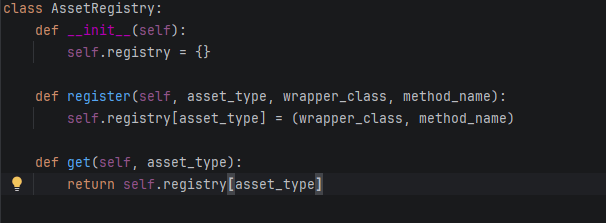
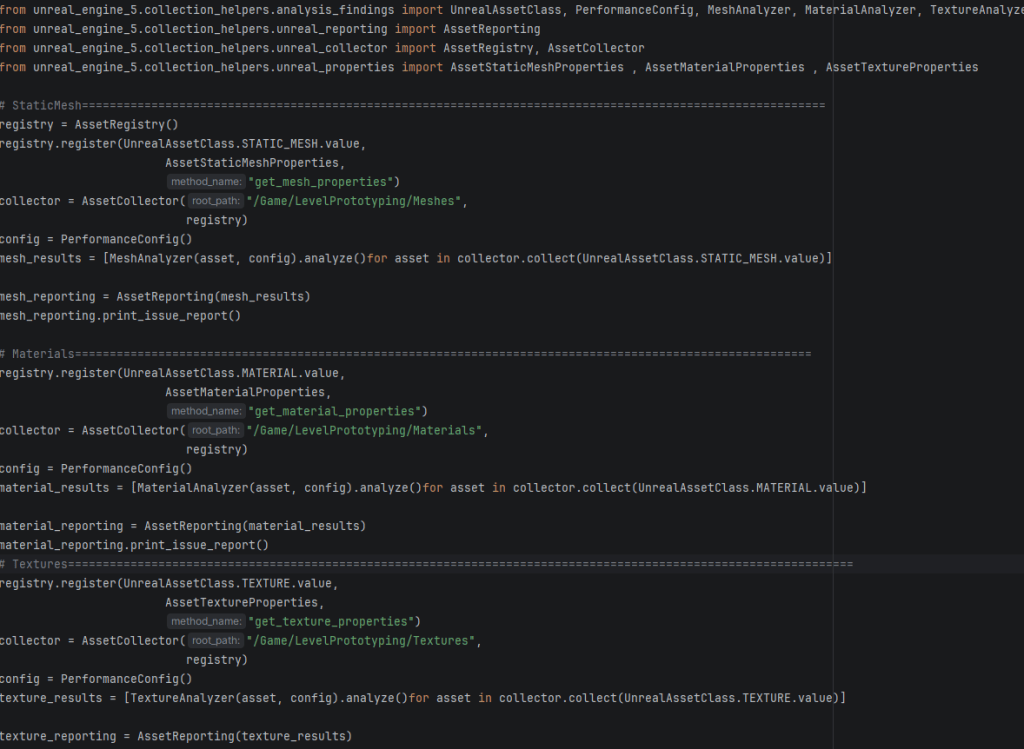
This path led me to developing a registry. This way, I could use my generic Collect method with a dictionary of the assets I wanted to collect.
Since the collector didn’t need to know about the individual asset types, I could give it the data it needed to process different kinds of assets.
Using Dependency Injection
Then I wanted to separate the registry and collection logic from the Collect class because the class was starting to have two jobs.
So I decided to implement dependency injection and pass the registry into the Collect class as an argument.
Moving From Utility Scripts to an Architecture
I wanted to transition my code from utility scripts to a program that had a clear architectural framework.
My main motivation for this was that I was having trouble adding functionality to the code. I ended up creating duplicate code everywhere, and I started noticing patterns in that duplicate code.
So I researched the way I was writing the code and discovered that I needed to think more about the patterns I was using, such as registries, the Template Pattern, and the Strategy Pattern.
This helped me refactor repeated code into generic functions and separate different responsibilities. The goal was to make the code more maintainable and reusable as the tool became larger.
Solving the Python Import Problem
Because I was running into import issues, it was easier in the beginning to create the Asset Analyzer in one file. But as the module grew, it became harder to manage.
It was hard to keep the code independent because it was easy to reference classes within the same module. Having everything in one file also made it harder to navigate around the project. So I decided to solve the import problem.
Running Python files from Unreal didn’t automatically tell Python where my project root was. So I used sys.path to force the script to load the project root.
But I didn’t want to add this line to every script. It also didn’t always work, especially when I made changes to the project structure.
So I decided to add my Python project to Unreal’s project paths instead.
Breaking the Project Into Modules
After fixing my imports, I refactored my project into separate modules:
- analysis_findings
- unreal_collector
- unreal_properties
- unreal_reporting
One problem I noticed was that when I added a new module, I had to restart Unreal Engine before it recognized that the module existed because the files were loaded at startup. This could become annoying later as the project continued to grow.
Standardizing the Config Data
As I was extending the functionality to materials, I realized I had different data types to process, such as strings and lists. So I reformatted the config file to have a consistent format.
Then I created a class that checked the data type and determined how it should parse the config and process the data.
But changing the structure of my data in the config file broke a lot of things because different parts of the code depended on it.
This led me to pytest.
Adding Testing With Pytest
I wanted to start making my code more resilient to changes by integrating test cases for different data types and edge cases. This would also make me more confident when submitting code to version control.
Although I was taking time away from development to write tests, I felt that it would save me time in the long run. I could catch bugs and errors earlier and be more confident when changing or refactoring the code.

